CueFrame user guide
Launch price on release: €29.99
Coming soon. New purchases are not open yet. Purchases and downloads will open at launch.
CueFrame compatibility
| Requirement | Windows | macOS |
|---|---|---|
| Current version | 0.1.5 | 0.1.5 |
| VST3 | Yes | Yes |
| Audio Unit (Logic Pro) | — | Yes |
| Standalone | Yes | Yes |
| Processor | x64 | Apple silicon (arm64) |
| Minimum OS | Windows 10/11 64-bit | macOS 14.0 |
| Installer signing | Yes | Developer ID |
| Apple notarization | — | Yes |
Intel Macs are not supported. See the installation guide for feature differences and host requirements.
Planned Windows and macOS installation
Planned installers: CueFrame-0.1.5-Windows-x64.msi and CueFrame-0.1.5-macOS-Licensed.pkg. Windows requires Windows 10/11 x64. Mac requires Apple silicon (arm64), macOS 14 or newer; Intel Macs are not supported.
Downloads will be available when CueFrame launches. Close the app and DAW, run the installer, then restart your DAW and rescan plug-ins. The Windows installer includes standalone and VST3; the signed, notarized Mac installer includes standalone, VST3 and AU.
Mac installs the app in /Applications, VST3 in /Library/Audio/Plug-Ins/VST3 and AU in /Library/Audio/Plug-Ins/Components. Check for older per-user copies in ~/Library/Audio/Plug-Ins/VST3 and ~/Library/Audio/Plug-Ins/Components if your DAW finds duplicates.
Logic Pro Audio Unit
Load CueFrame as an Audio FX plug-in. The plain picture workflow is initially validated in standalone; plug-in movie playback needs CueFrame-specific host/media qualification. Use standalone if your DAW has not been qualified.
Licensing on release
CueFrame is coming soon. New purchases and public trial downloads are not open.
The full release will use a CueFrame license key from Lemon Squeezy. CueFrame is currently coming soon; purchases and downloads are not open yet.
Compose to picture
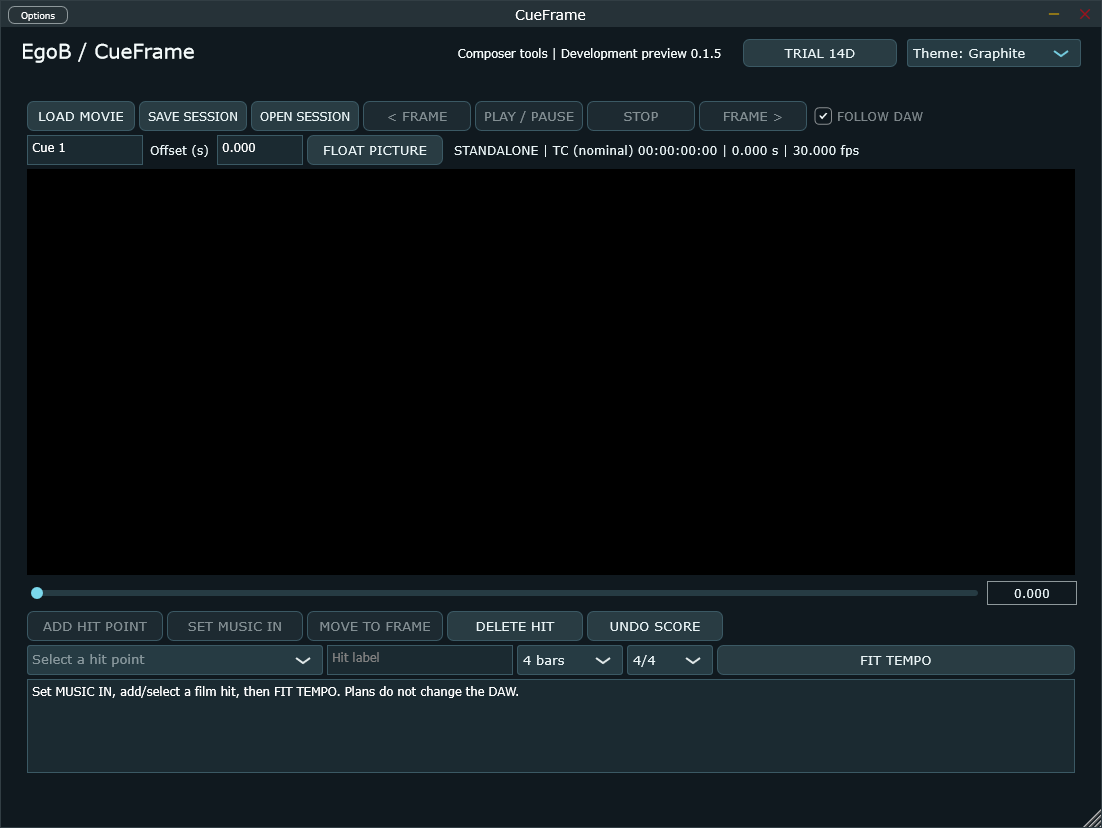
- Open CueFrame standalone and load your movie. The picture is plain reference, without movie audio or VJ effects.
- Inspect frames and mark the fixed film hits that matter to your cue.
- Set MUSIC IN and review constant quarter-note BPM alternatives for your phrase.
- Choose a timing plan, then compose and apply the tempo in your DAW.
- Save the session as
.cueframe. OPEN can recover score data from an older.egovisualsession without modifying the original or loading its VJ content.
VST3 observes host time and passes audio/MIDI through. Standalone owns transport. Host movie qualification is separate from licensing. More advanced musical-fit ranking, tempo curves and picture-revision review remain development work.
Help
Email info@egob.be with your CueFrame version, OS, processor and DAW. Do not include your license key in public screenshots.