NEUROLOOM · FREE 14-DAY TRIAL
Feed it a sound.Find something you wouldn’t have made yourself.
Turn ordinary audio into rhythms, textures and samples worth keeping.
Explore unexpected variations with LOOM. Follow the sound that catches your ear, shape it, and bring it into your next track.
Download your free 14-day trial Watch all 6 demos on YouTube Hear the transformation ↓Buy NeuroLoom · €39.99
Try the effects, explore LOOM and export your ideas free for 14 days. No card required. Your trial starts on first use; buy a license when you’re ready to keep going.
Windows · Apple silicon Mac · VST3 · AU (Mac) · Standalone
NEUROLOOM · HEAR THE TRANSFORMATION
Same sound. New possibilities.
VOCALNew texture
GUITARNew instrument
Same excerpts, loudness matched. Processed with NeuroLoom.
YOUR SOUND IS THE STARTING POINT
Anything in. Your next sample out.
Feed it a sound
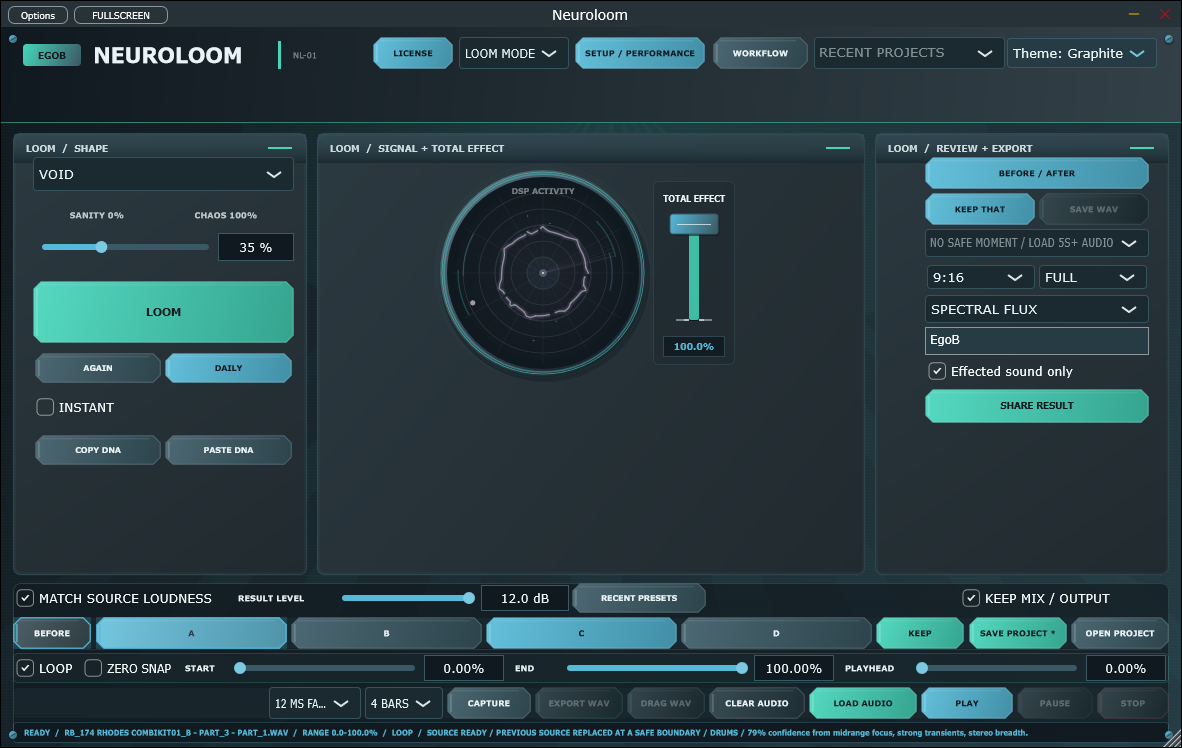
A drum loop. A voice memo. A guitar phrase. Load a recording into the standalone app and start exploring with LOOM.
Find the unexpected
Break up the rhythm, reverse a fragment, or give a texture a new tone. Follow a variation you wouldn’t have planned.
Keep what moves you
Select a range and export it into your next production. Or use NeuroLoom in your DAW to reshape a track as it plays.
INSIDE NEUROLOOM
Explore a sound. Keep your favourite take.
THREE SOUNDS · THIRTY SECONDS
Hear the difference in 30 seconds.
What to listen for
- 0:00–0:10 · Drums. Hear the original loop, then NeuroLoom. At 0:06, change the time grid from 1/16 to 1/64 for smaller rhythmic slices.
- 0:10–0:20 · Vocals. Hear the dry phrase, then a shifting texture. At 0:16, increase Reverse from 0% to 100% to reverse the fractured slices.
- 0:20–0:30 · Guitar. Hear the original phrase, then metallic resonance. At 0:26, increase Body Mix from 35% to 80%.
Same excerpts, loudness matched. Processed with NeuroLoom. Timed graphic cards show the adjustments.
Try it on your sound. Free for 14 days.
NeuroLoom for Windows 10/11 64-bit and Apple silicon Mac. VST3 and standalone included; AU included on Mac. Requires macOS 14 or newer on Mac; Intel Macs are not supported.
Launch price: €39.99
Regular price planned at €59.
Already trying NeuroLoom? Buy a license for €39.99, then paste your receipt key into TRIAL or ACTIVATE. No reinstall is needed.
One license, two computers. Online activation and a connection at least every 30 days are required. Secure payment through Lemon Squeezy; final amount shown at checkout.
Support → Compatibility / Release notes · User guide · Already purchased?
Windows: v3.1.3 (14-day trial included). Mac: v3.1.3 (14-day trial included).
One installer, trial to paid
The Windows and Mac installers include a full-feature 14-day trial. Activate your purchased NeuroLoom key during or after the trial to unlock the same installation. No reinstall or separate paid installer is required.
Buy NeuroLoom · €39.99. Existing customers can use their private purchase download link.