Drum programming · Practical production guide
Give MIDI drums a deliberate human feel.
Humanizing MIDI drums works best when the changes serve the rhythm. Give strong and weak hits different velocities, decide which parts should push or pull, and preserve the accents that make the beat recognisable.
GrooveForge · Coming soon · Workflow preview; purchases and new downloads are not open yet.
Separate velocity, swing and microtiming
Velocity shapes accents and, with a responsive drum instrument, the character of each hit. Swing changes the relationship between rhythmic subdivisions. Microtiming moves individual hits slightly ahead of or behind their grid positions. Randomizing all three at once makes it hard to hear which change helps.
Begin with a solid kick and snare. Give the hats a repeating accent pattern, then audition small timing changes against the bass. Keep a reference copy: the useful comparison is whether the groove supports the song, rather than whether the notes look less tidy.
Shape a groove in GrooveForge
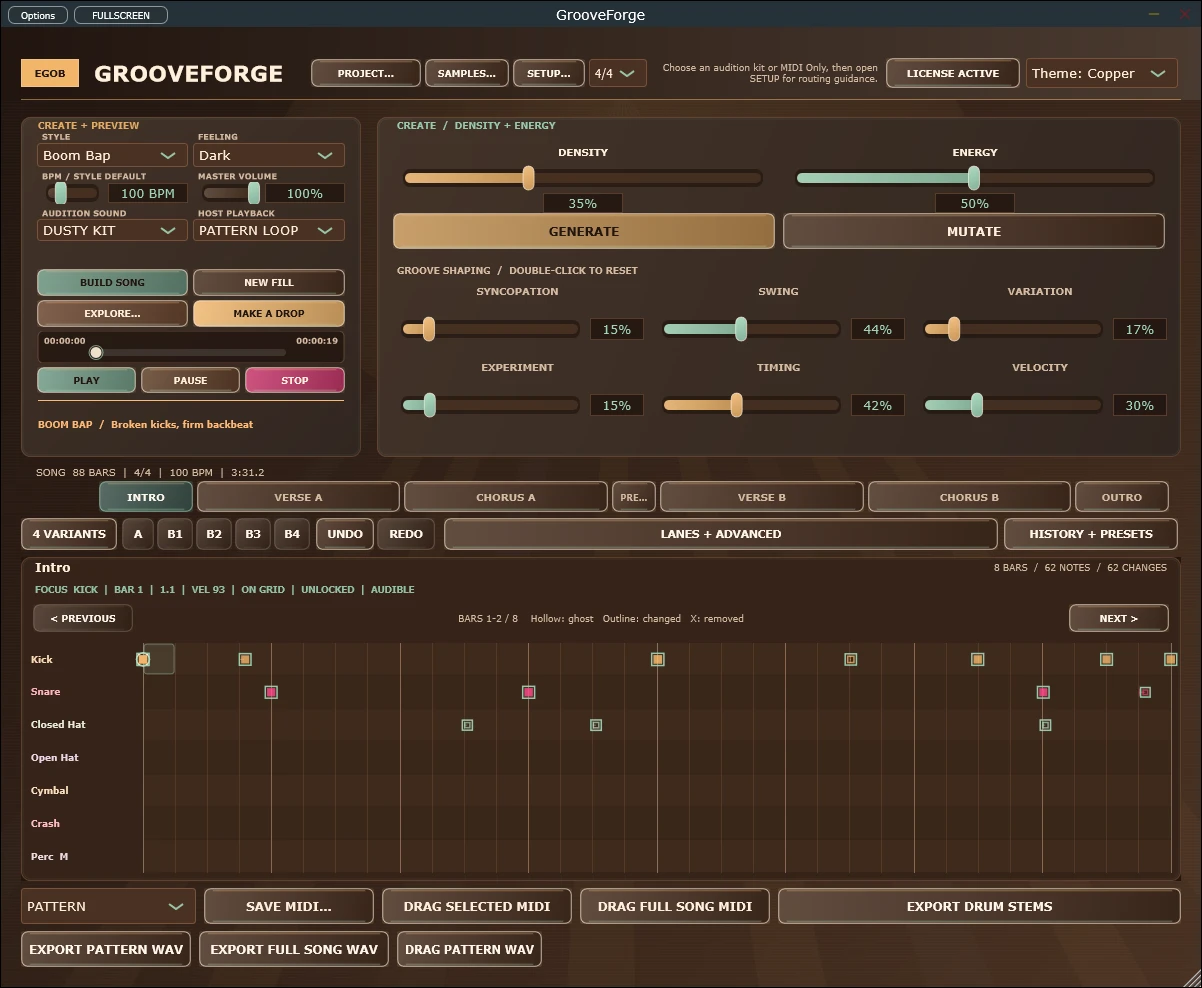
- Choose a genre and feeling, then set density, energy, swing and humanization. Generate a pattern and use the same seed when comparing control changes.
- For an existing clip, use REMIX MIDI or drop a MIDI file onto the editor. Choose the bar range and original timing if you want to keep its existing feel.
- Preview the groove. Edit velocity and microtiming in the seven-lane grid, listening to one lane at a time.
- Lock useful lanes or bars before mutation or fills. Compare the A/B1–B4 alternatives so a good basic beat stays available.
- Export PATTERN MIDI or FULL SONG MIDI. Select a note map that matches the receiving instrument, then audition the exported result in your DAW.
Keep the instrument in the comparison
A velocity change can sound different on two drum kits. GrooveForge’s Studio and Dusty kits switch between soft and hard recorded hits at velocities 75/76. Your own drum instrument may respond differently, so judge the exported MIDI with the sounds you intend to use.
GrooveForge is a pattern generator and editor with MIDI import/export. This workflow does not promise a transparent real-time MIDI humanizer insert for every host. MIDI routing depends on the DAW; file export is an alternative. Imported clips also have documented size, bar-count and meter limits in the guide.
Common questions
Can I keep my own drum sounds?
Export MIDI and play it through your preferred drum instrument. Check the note map; the internal WAV renderer renders GrooveForge’s kit, not an external instrument.
Will importing MIDI replace its timing?
The import dialog offers original or sixteenth-quantized timing. Choose original to retain microtiming within the supported import bounds.
Explore this workflow with GrooveForge.
Explore GrooveForge, a drum MIDI generator for Windows and Apple-silicon macOS with editable patterns, fills, song arrangements and MIDI or audio export. Coming soon.