Sampling · Practical production guide
Find the passage that makes the beat.
Finding something to sample means listening for a phrase with room to become something else: a short chord, an exposed note, a rhythmic gap or a clean ending. This guide is about finding material inside a recording you load, rather than identifying which record another artist sampled.
CrateGhost · Coming soon · Workflow preview; purchases and new downloads are not open yet.
Listen for space before you look for more sounds
A dense chorus can be exciting but difficult to rearrange. Try an intro, a breakdown, a phrase ending or a passage where one instrument drops out. Listen for whether a note has enough decay to stand on its own, and whether the background rhythm will clash with your new drums.
Make a shortlist of contrasting moments: one sustained sound, one short attack and one longer phrase. That small vocabulary can give you more useful choices than filling every pad immediately.
Audition candidates in CrateGhost
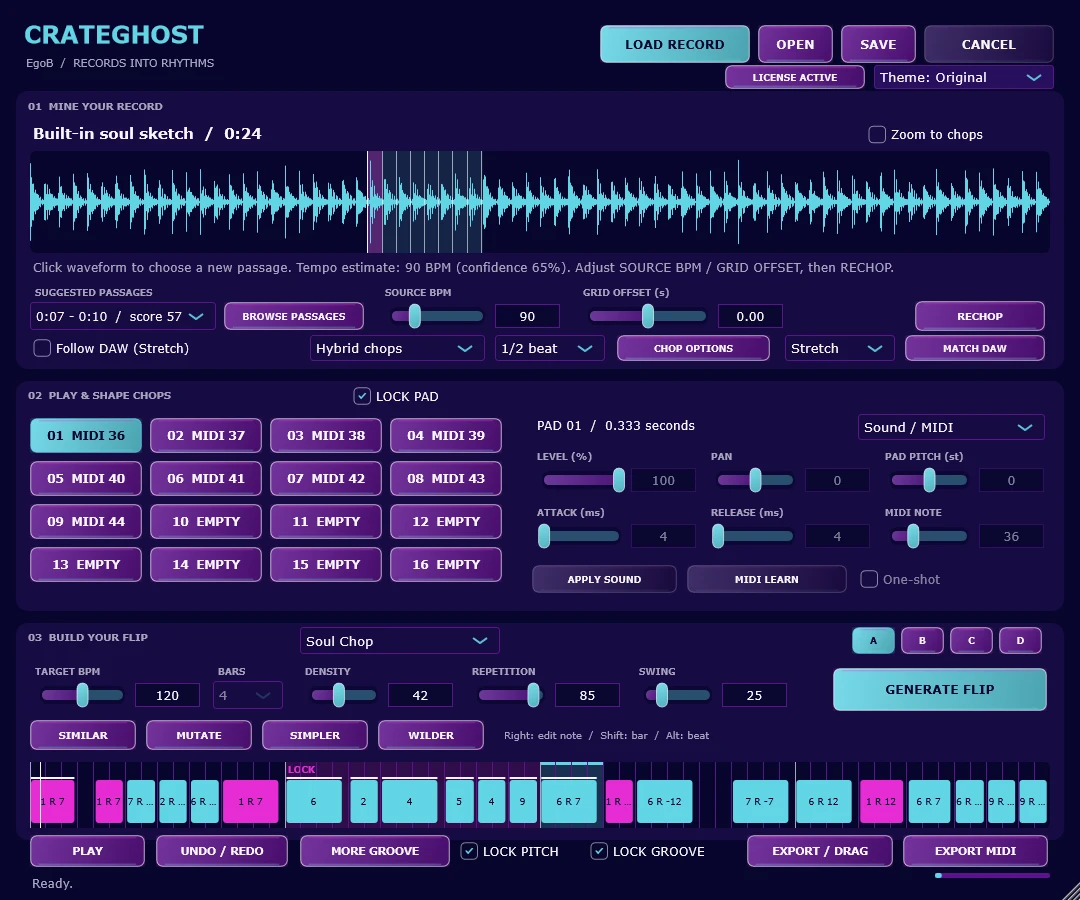
- Use LOAD RECORD to open a local recording. The app offers SUGGESTED PASSAGES with time ranges and scores.
- Open BROWSE PASSAGES. Compare Best and Sparse candidates; the rows include duration and grouped-repeat counts.
- Use PREVIEW to hear the original source. Browsing and previewing leave the current chops and flip intact.
- Choose LOAD TO PADS when a range sounds promising. Listen to the individual slices and correct the source grid if needed.
- Play two or three pads in a new order before generating a full pattern. A passage is useful when it works in your arrangement, regardless of its score.
What a passage score can tell you
Sparse ranking considers quiet space, spectral concentration and how much of the passage is occupied by attacks. It excludes silence; similar passages are grouped heuristically. A high score is a browsing aid, not a musical verdict, and tempo estimates may need correction on drifting recordings.
The browser searches the file you provide. It is not an online sample catalogue, a song-identification database or a promise of isolated stems. The included demo is an original synthetic sketch; you can use your own recordings to explore the same workflow.
Common questions
Can this identify the original sample used in a released song?
That is a different search task. This workflow finds candidate passages in a local recording for you to chop and rearrange.
Does a sparse passage contain an isolated instrument?
Not necessarily. Sparse describes the candidate ranking; you still hear the sounds present in that part of the recording.
Explore this workflow with CrateGhost.
Preview CrateGhost: turn a recording into playable chops and editable sample flips. Windows and Apple-silicon macOS standalone app and VST3 instrument. Coming soon.