Reimagine a recording
Reconstruct a recorded electric guitar performance with acoustic instrument sounds, including classical nylon and Unplugged Steel.
Nylonize · Available now
A new voice for your guitar take.
Explore Nylonize: reconstruct recorded electric guitar as nylon or steel-string acoustic performances, edit notes and export audio or MIDI. Available now for Windows and Apple-silicon macOS.
Launch price: €59
Regular price planned at €89.
Windows x64 v3.2.0 / macOS 14+ arm64 v3.2.0
Secure checkout through Lemon Squeezy; final amount is shown at checkout. Includes Windows and Apple-silicon Mac packages and your license key. Online activation and a connection at least every 30 days are required.
Already purchased? Find your downloads →Watch the 45-second cut · Open the full demo
The full demo runs 1 minute 52 seconds. Use full screen to inspect the controls. The original-audio credit is retained in the recording and end card.
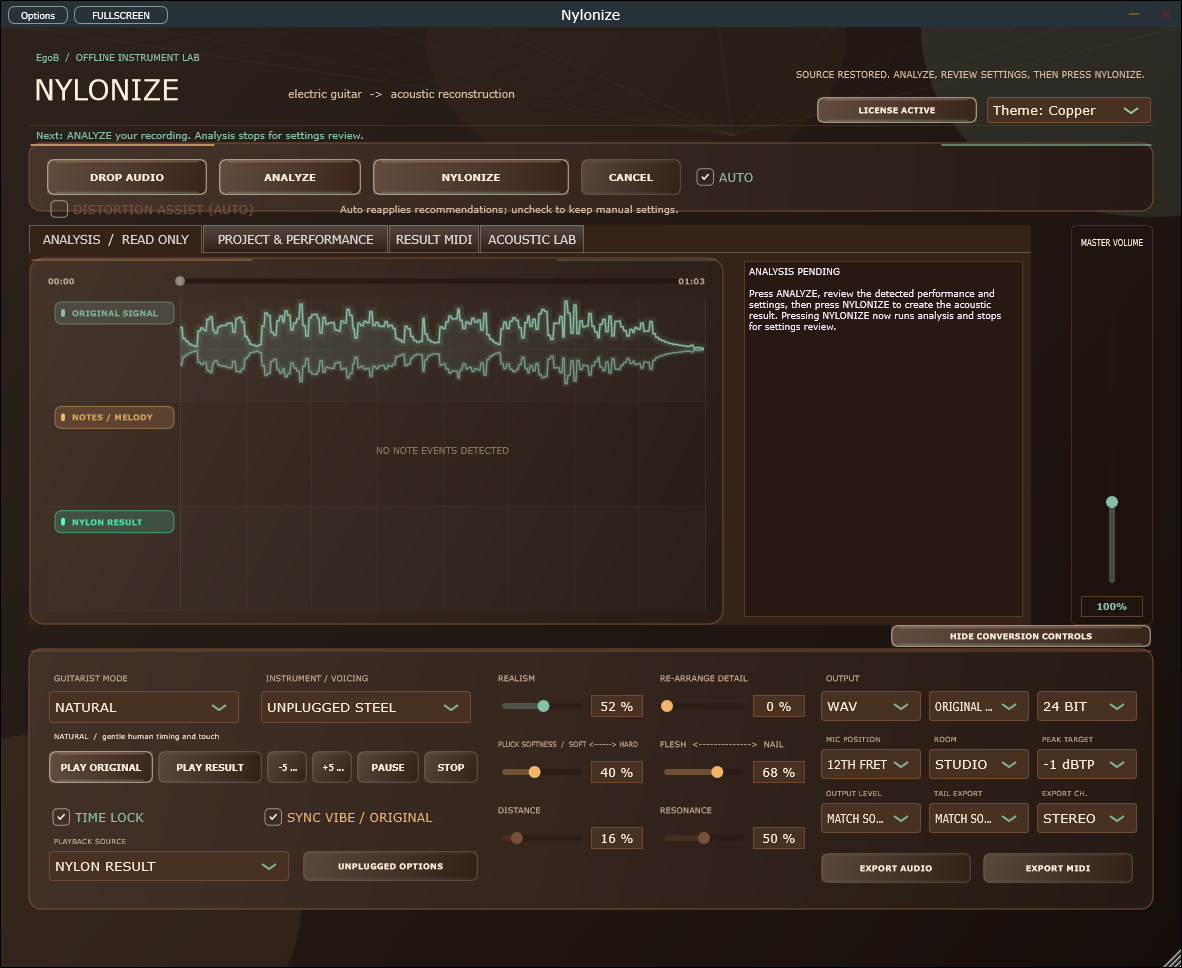
From idea to output
Load a complete guitar recording, analyze the performance and choose an acoustic instrument bank. Review and correct the detected notes, shape the sound, then export the reconstructed result as audio or MIDI.
Reconstruct a recorded electric guitar performance with acoustic instrument sounds, including classical nylon and Unplugged Steel.
Edit note corrections and tuning, then rebuild the result. Undo and redo help you compare your changes.
Export the finished audio or MIDI. The standalone app and VST3 support a recording-based workflow.
| Requirement | Windows | macOS |
|---|---|---|
| Current version | 3.2.0 | 3.2.0 |
| VST3 | Yes | Yes |
| Audio Unit (Logic Pro) | — | Yes |
| Standalone | Yes | Yes |
| Processor | x64 | Apple silicon (arm64) |
| Minimum OS | Not specified | macOS 14.0 |
| Installer signing | Yes | Developer ID |
| Apple notarization | — | Yes |
Intel Macs are not supported. See the installation guide for feature differences and host requirements.
Apple silicon (arm64), macOS 14 or newer. The PKG is Developer ID signed, notarized and stapled. Intel Macs are not supported.
The Mac build uses the legacy spectral analyzer. Basic Pitch/ONNX transcription, MP3 export and Windows Media Foundation encoder-delay correction are Windows-only. Keep the bundled guitar models with the app. Analyze stops for settings review; press NYLONIZE explicitly to convert. Native license protocol and Keychain tests passed; live-key acceptance and individual DAWs have not been validated. The current Mac PKG includes the standalone app, VST3 and Audio Unit for Logic Pro. Open the signed, notarized installer, then restart the DAW. The plug-ins install for the current logged-in Mac user in ~/Library/Audio/Plug-Ins. Restart and rescan your DAW in that account; check the new per-user plug-ins before removing older system-wide copies. See the product guide for the correct plug-in slot.
Open ACTIVATE LICENSE in the app or VST3 and paste the key from your Lemon Squeezy receipt. Online activation unlocks conversion, playback and WAV/MIDI export. Standalone and VST3 share activation for the same OS account (login Keychain on macOS). Connect at least once every 30 days.
No. Nylonize analyzes a complete recording and reconstructs the performance offline. It is not a real-time acoustic simulator for a live guitar input.
The documented instrument banks include classical nylon, fingerstyle and Unplugged Steel. Choose a bank and rebuild the result to explore a different performance sound.
Note corrections and sound changes can require a fresh reconstruction. Export becomes available when the new result is ready.
Installation, controls and troubleshooting: Nylonize user guide →
For help with your setup, email info@egob.be with your OS version, processor architecture and DAW.
NeuroLoom GrooveForge EgoVisual SignalProof CrateGhost CueFrame
Back to all plugins →The Windows and Mac installers include a full-feature 14-day trial. Activate your purchased Nylonize key during or after the trial to unlock the same installation. No reinstall or separate paid installer is required.
Buy Nylonize · €59. Existing customers can use their private purchase download link.
Start with your next session
Guitar production
Hear electric guitar reconstructed as nylon, then learn the Nylonize workflow: analyze a recording, correct notes, choose a bank and export audio or MIDI.
Read the workflow →